LiberNovo Ergonomic Chair Buying Guide: Which Model Is Right for You?
Compare LiberNovo ergonomic chairs, including Omni and Maxis models, with prices, discounts, features and buying tips to find the right chair for your needs.
- Author : Rucha
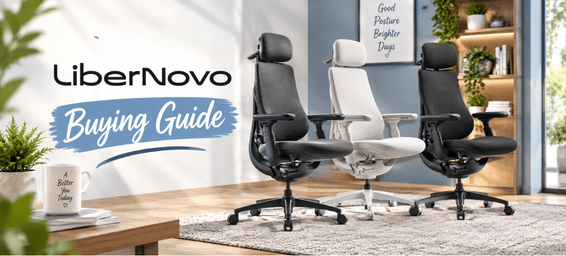
If you're spending most of your working day at a desk, the difference between an ordinary office chair and a genuinely supportive ergonomic chair becomes much easier to notice. After several hours, small issues with seat depth, back support, heat or limited movement can become the things you remember most about the chair.
LiberNovo approaches this problem a little differently. Instead of expecting you to stay in one perfectly adjusted position, its ergonomic chairs are designed to support movement throughout the day. You can lean forward to work, sit upright during a meeting, recline when reading or stretch back without completely losing the support around your body.
The brand offers its chairs in markets including the U.S., Canada, UK, Europe and Japan, along with other international markets. Its range also covers a broad price spectrum, from a more accessible entry-level model to larger, feature-rich chairs costing well over €1,000.
That makes choosing the right LiberNovo chair less about finding the model with the longest feature list and more about answering a practical question: what do you actually need your chair to do every day?
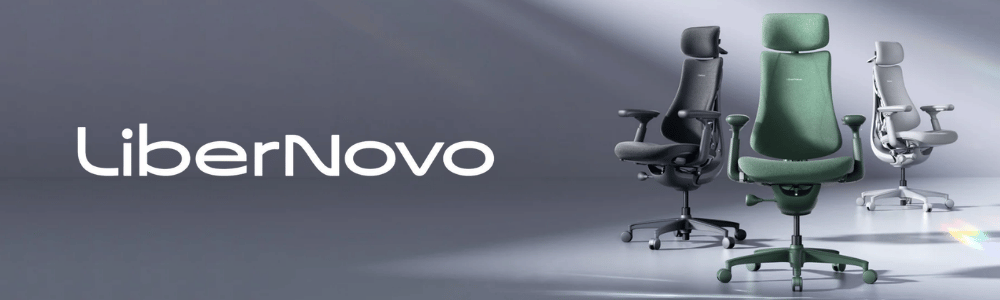
How LiberNovo Approaches Ergonomic Seating
The easiest way to understand LiberNovo is to think about how people really sit.
Even during a productive work session, you're unlikely to remain in exactly the same position for hours. You might move closer to the screen, lean back during a call, shift your legs, stretch your shoulders or recline for a few minutes between tasks.
LiberNovo's approach is built around those movements. Its dynamic ergonomic system includes features such as OmniStretch, synchronized support, adjustable seat depth and reclining, allowing the chair to respond as your posture changes.
That can be particularly useful for people who spend eight or more hours at a desk. Instead of treating movement as something that takes you away from the "correct" sitting position, the chair is designed to accommodate it.
There is also an important size difference within the lineup. The Omni Series uses a 45/48 cm seat-depth range and supports users up to 300 lbs, while the Maxis Series has a deeper 52 cm seat and supports up to 399 lbs.
For that reason, don't start by asking which chair has the most features. Start with whether the chair is physically right for you.
A Closer Look at LiberNovo's Chair Lineup
Choosing between LiberNovo chairs isn't simply a matter of moving from the cheapest model to the most expensive one. Each model is built with a slightly different type of user in mind, whether that's someone working from home, spending long hours gaming or needing a larger frame. The range below makes those differences easier to compare before you decide where to spend your money.
1. LiberNovo Omni SE
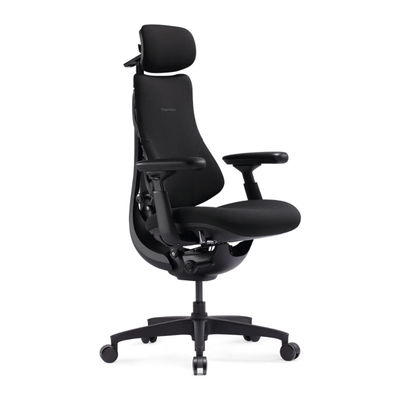
The Omni SE is the most straightforward way into the LiberNovo range. It gives you the brand's core ergonomic approach without immediately moving into the higher-priced models.
Based on the pricing in the original comparison, it starts at around €575, with savings of approximately 25%–30%. That makes it particularly interesting for someone who likes LiberNovo's approach but has a tighter budget.
This is the chair to look at if you're setting up a home office, study space or everyday workstation and mainly want better support without paying for features you may never use.
If your typical day involves emails, documents, video calls, browsing and a little gaming, you may not need the additional functionality found higher in the lineup.
Who should consider it: shoppers who want the LiberNovo design at a lower entry price and don't need extensive powered adjustments.
2. LiberNovo Omni
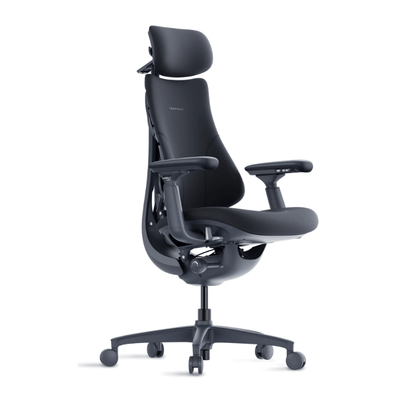
The Omni is more of an everyday all-rounder. If your chair needs to handle work, studying, gaming and general computer use without being built around one particular activity, this is where the range becomes particularly interesting.
It starts at approximately €700 in the converted pricing from your original article, with savings of around 20%–30% during promotions.
Think about your normal weekday. If you spend most of the day working, take occasional breaks to browse or watch something, and perhaps play games in the evening, a versatile chair can make more sense than buying around one specific use case.
The Omni is also useful for shoppers who want something between the entry-level SE and the more feature-heavy Pro models.
Who should consider it: work-from-home users, students, hybrid users and gamers looking for one chair that can handle different parts of the day.
3. LiberNovo Omni Pro
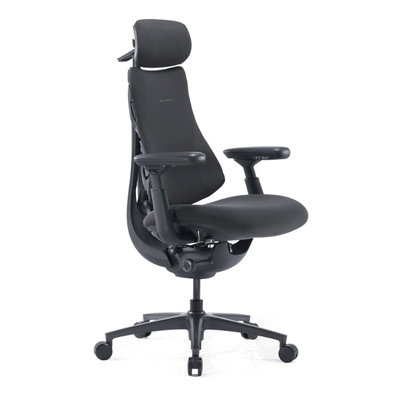
The Omni Pro starts making more sense when sitting isn't just something you do for a few hours but a major part of your day.
Your original pricing showed the Omni Pro starting at about €879, with savings of roughly 20%–25%.
It adds features including electric controls, enhanced lumbar adjustment and active airflow, alongside LiberNovo's dynamic support and reclining system. Those additions are easier to justify if you regularly change positions or spend long stretches working at your desk.
The airflow can also be useful if you tend to feel warm after sitting for several hours.
There is an important buying decision here, though. Don't pay for powered controls simply because they sound impressive. If you adjust your chair once and rarely touch it afterward, the advantage may be relatively small. If you're constantly changing positions, the convenience becomes much more relevant.
Who should consider it: people with long desk days who will genuinely use the additional adjustments and ventilation.
4. LiberNovo Omni Gen
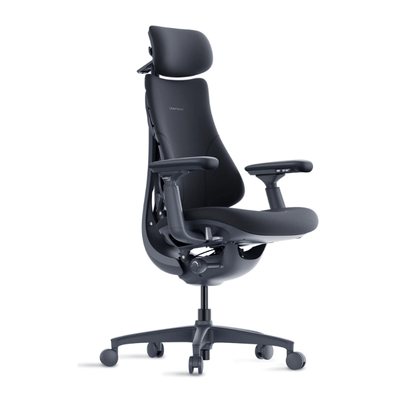
The Omni Gen is worth considering if you're specifically interested in a newer configuration within the Omni family.
In the original pricing you provided, it started at around €888, with an estimated saving of approximately 10%–20%.
Rather than assuming that a newer model automatically makes the older one obsolete, compare the things that affect your actual experience: seat depth, support, recline, adjustment range and overall fit.
This is especially important when two models are relatively close in price. A feature that sounds minor on a specification sheet may be very useful in your particular setup, while another upgrade may make virtually no difference to you.
Who should consider it: buyers who want the newer Omni configuration and have identified specific adjustments or features that are useful to their routine.
5. LiberNovo Maxis Manual
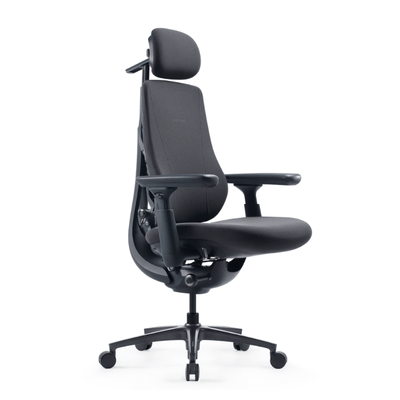
The Maxis Manual is where body size becomes a much bigger part of the buying decision.
It starts at around €819 in the converted pricing from the original comparison, with savings of approximately 25%–30%.
It has a 52 cm seat depth, supports up to 399 lbs, and is designed for users around 5'10" to 6'7". If you're taller or broader, that extra room can be far more important than having additional electronic controls.
This is also one of the situations where buying the cheaper chair isn't necessarily the money-saving decision.
A smaller chair might cost less initially, but if your thighs don't have enough support or the seat feels cramped after a few hours, you may end up replacing it. A properly sized chair can therefore be a better long-term purchase even when its upfront price is higher.
The manual version is particularly sensible if you want the larger Maxis frame but don't need to adjust your chair electronically throughout the day.
Who should consider it: taller or broader users who need the larger Maxis dimensions and prefer straightforward manual adjustment.
6. LiberNovo Maxis Electric
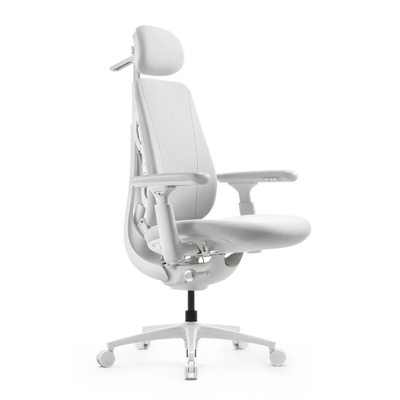
The Maxis Electric combines the larger Maxis frame with powered adjustment.
Your original article listed it from approximately €1,054, with savings of around 30%.
That combination is useful for someone who doesn't simply sit at a desk in one position all day. You might alternate between focused work, meetings, reading, gaming and relaxing, with each activity requiring a slightly different setup.
Powered adjustment makes those changes easier, but the extra cost is most worthwhile when you actually use it.
If you're already confident that the Maxis size is right for you and you frequently change your sitting position, the Electric can be a more convenient choice than the Manual.
Who should consider it: larger users who want the Maxis fit and regularly use different chair positions throughout the day.
7. LiberNovo Maxis Airflow
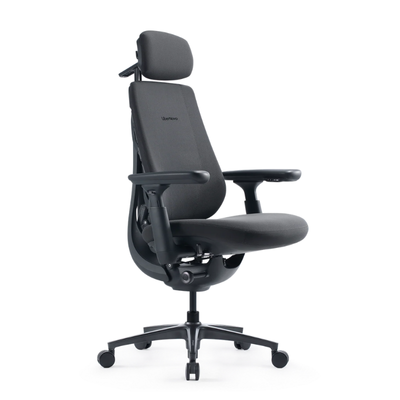
The Maxis Airflow is the most specialised option in the range.
The pricing in your original article put it at approximately €1,245, with savings of around 20%–25%.
Its main attraction isn't simply that it sits at the top of the lineup. It is designed for people who want the larger Maxis frame but also have a particular problem with heat and ventilation during long sitting sessions.
It combines active airflow with motorized lumbar support and powered adjustments. That makes it particularly interesting if you work in a warm room, spend long periods gaming or simply find that heat becomes one of the main reasons you become uncomfortable in a chair.
If temperature isn't an issue for you, though, there is less reason to pay specifically for the Airflow configuration. In that situation, comparing it with the Maxis Electric may make more sense.
Who should consider it: larger users who spend long periods seated and specifically want active airflow alongside powered adjustment.
LiberNovo Accessories
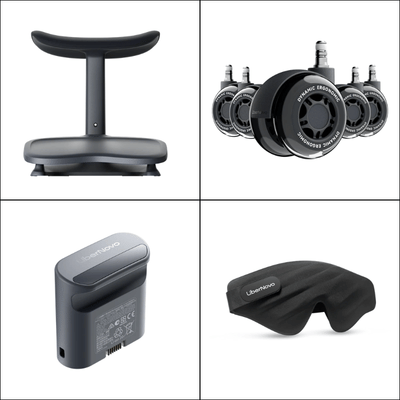
Once you've chosen the chair, accessories are worth treating as separate decisions rather than part of the basic purchase.
LiberNovo offers options such as the StepSync Footrest, Cooling Seat Pad, rechargeable battery, StepSync Mat and replacement wheels.
A footrest can be useful if your legs or feet need more support. A cooling seat pad may be worthwhile if you regularly struggle with heat. Replacement wheels are an obvious practical upgrade when your existing wheels need replacing, while a mat can be useful depending on your flooring and workspace.
The important thing is not to turn a chair purchase into an excuse to buy every accessory available.
If an accessory solves a problem you already have, it can be worthwhile. If you're adding it simply because it is offered alongside the chair, you may be better off keeping the money in your budget.
Which LiberNovo Chair Fits Your Routine?
Your daily routine is probably the quickest way to narrow down the range.
For a normal work-from-home setup, the Omni SE, Omni or Omni Gen are the models to look at first. The right choice among them depends on how much adjustment you want and whether the newer configuration offers something useful for you.
If you're working long hours every day, the Omni Pro becomes more interesting because its additional lumbar adjustment and airflow are features you're more likely to appreciate over time.
For taller or broader users, start with the Maxis range rather than trying to make a smaller chair work. The larger frame and deeper seat can have a much bigger impact on comfort.
If you're a frequent position changer, the Electric models are worth considering because powered adjustment is more useful when you're actually using it repeatedly.
And if heat is one of your biggest comfort problems, the Maxis Airflow has a much clearer purpose than simply being the most expensive option.
In other words, the right LiberNovo chair depends less on how impressive the product page looks and more on what your average day looks like.
Things to Check Before Buying a LiberNovo Chair
Before placing an order, check the measurements rather than relying only on the model name.
Start with your height and body size. The Omni and Maxis ranges are designed for different users, and the 52 cm Maxis seat depth can make a meaningful difference for taller people.
Measure your desk too. A chair can fit perfectly into your workspace when upright but require considerably more room when reclined. Make sure you have enough space behind the chair to use its reclining function comfortably.
Then think about how often you change position. If you frequently move between upright working, reclining and stretching, advanced adjustment features may be useful. If you generally keep the same settings, you can potentially save money by choosing a simpler model.
It is also worth considering the rest of your setup. Monitor height, keyboard position, desk height and foot support all affect how comfortable a chair feels. An expensive ergonomic chair can't completely compensate for a poorly arranged workstation.
How to Get a Better LiberNovo Deal
The original model comparison gives a useful idea of how much the different chairs can move in price. Depending on the model, the discounts you were tracking ranged from roughly 10% to 30%, with the Omni SE, Maxis Manual and Maxis Electric showing some of the more noticeable percentage savings.
That means it is worth comparing the actual sale price of the model you want, rather than assuming the chair with the largest percentage discount is automatically the best deal.
Seasonal promotions around Labor Day, Black Friday, Cyber Monday and the holiday shopping season can be useful times to check, particularly if you're considering one of the more expensive models.
Don't automatically choose the chair with the largest markdown, though. A €300 saving on a chair that doesn't fit your body is not a better deal than a €100 saving on the chair you'll comfortably use for years.
It is also worth comparing bundles when you're already planning to buy an accessory. A bundle can be useful if it includes something you genuinely need, but buying an unnecessary accessory just to make the promotion look better defeats the purpose of saving.
For businesses, schools and offices, larger orders may also have separate purchasing options, so bulk buyers should check what is available before placing several individual orders.
Check Today's Live LiberNovo Deals
Is a LiberNovo Chair Worth the Money?
Whether a LiberNovo chair is worth the price depends largely on how much time you spend sitting and what you expect from your chair.
If you sit at a desk for an hour or two a day, spending well over €1,000 may be difficult to justify. But if you're working from home eight hours a day, gaming for long sessions or using the same chair for work and leisure, comfort and adjustability become much more important.
The good news is that you don't necessarily need the most expensive model.
Someone who fits comfortably in the Omni SE at around €575 may get everything they need from it. A taller user may get substantially more value from the Maxis Manual at around €819 simply because the larger frame fits better. Someone who frequently changes positions may find the Maxis Electric at around €1,054 easier to live with, while a hot-room user may have a clearer reason to consider the Maxis Airflow at around €1,245.
The value is therefore highly personal. Fit, daily use and the problems the chair solves matter more than the price tag alone.
Where to Buy LiberNovo?
Ready to compare LiberNovo chairs? Choosing the regional store can make it easier to check the models available in your market, see local pricing, review delivery options and find region-specific promotions. Here are the official LiberNovo stores to use depending on where you're buying from:
| Region | Official Store | Useful for Buyers Looking For |
| United Kingdom | LiberNovo UK | LiberNovo chairs available in the UK, local pricing, delivery and current offers |
| Europe | LiberNovo EU | EU availability, chair models, pricing and shipping information |
| Germany | LiberNovo DE | German ordering options, available models, local delivery and offers |
| Japan | LiberNovo JP | Japan-specific availability, products, pricing and ordering |
| Canada | LiberNovo CA | Canadian models, pricing, shipping and available promotions |
Tip: If you're comparing LiberNovo models from outside these regions, check the company's regional availability and delivery information before choosing a chair, as the models and purchasing options can vary by market.
Final Thoughts
Buying an ergonomic chair is really about finding the right match for the way you spend your day. LiberNovo's range gives you several options depending on your body size, working habits and the level of adjustment you want.
The Omni range works well for everyday desk use, while the Maxis models provide a roomier setup for taller or broader users. If you regularly change positions, powered controls can make adjustments easier, while active airflow can be useful if you tend to get warm during long sitting sessions.
Before choosing a model, think beyond the feature list. Your height, seat depth, desk setup, available space and typical sitting time all affect how comfortable the chair will feel over the long term. A feature is only useful when it solves something you actually experience.
Once you've narrowed the range down to the models that suit your build and routine, compare the differences between them and choose the one that feels most appropriate for how you'll use it every day.